You make ₦847,500 in sales during the week. Your Paystack dashboard confirms it — transaction by transaction, the numbers are right there. You check your bank account on Friday. The balance has increased by ₦612,300.
Where is the other ₦235,200?
If you have run a Nigerian online business for any meaningful period of time, this experience is familiar. The gap between what your payment gateway shows and what your bank account receives is one of the most misunderstood parts of running a payment-enabled business in Nigeria. Most merchants either accept the confusion as normal or spend hours every month manually reconciling the difference — often inaccurately.
This guide explains exactly why the gap exists, what every component of it represents, and how to build a reconciliation process that takes minutes rather than hours.
Why the Numbers Never Match Directly
The gap between your Paystack revenue and your bank deposit is not a mystery. It is the predictable result of four things happening between a customer paying and money arriving in your account.
1. Gateway Fees Are Deducted Before Settlement
When a customer pays ₦10,750 on your checkout, Paystack does not send you ₦10,750. They deduct their fee first and send you the remainder.
For a local card transaction of ₦10,750:
Gross amount:       ₦10,750.00
Paystack fee:        ₦261.25  (1.5% + ₦100, since ₦10,750 > ₦2,500)
Amount settled:     ₦10,488.75
If you record ₦10,750 as your revenue in your books and then look for ₦10,750 in your bank account, you will never find it. What arrived is ₦10,488.75. The difference is not missing — it was paid to Paystack as a processing fee.
2. Settlements Are Batched, Not Per-Transaction
Paystack does not send one bank transfer per customer payment. They aggregate all transactions that cleared within a settlement window and send a single batch transfer to your account.
On T+1 settlement, transactions that complete between midnight and midnight on any given day are grouped together and settled the following business day as one transfer. A day with 47 transactions becomes one line item on your bank statement.
This means your bank statement will never show individual transaction amounts. It shows settlement batch amounts. Reconciling means matching each settlement batch back to the individual transactions that comprised it — a process that requires transaction-level data from Paystack's API or dashboard export, not just your bank statement.
3. Settlement Timing Creates a Float
Money collected on Friday may not arrive in your account until Monday (or Tuesday, if Monday is a public holiday). This float means that at any snapshot in time, there is some amount of money that Paystack holds on your behalf that has not yet hit your bank.
If you check your Paystack dashboard total and your bank account total on the same day, you will almost always see a gap that represents transactions still in the settlement pipeline. This is not a problem — it is the normal operation of the payment system. But it means you cannot do a direct comparison of the two totals and expect them to match.
4. Disputes, Refunds, and Chargebacks
When you process a refund, Paystack deducts the refund amount from a future settlement rather than debiting your bank account directly. This means a settlement you expected to be ₦150,000 might arrive as ₦132,500 because a ₦17,500 refund was deducted.
If you do not track refunds separately in your books, you will see an apparently short settlement and have no way to explain the difference without going back through your Paystack transaction history.
The Reconciliation Process, Step by Step
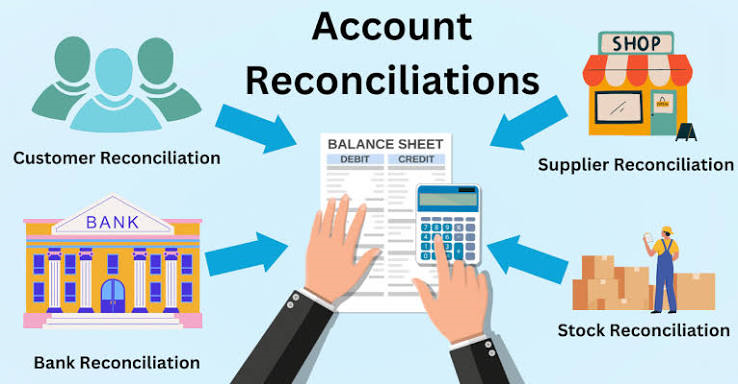
Reconciliation is the process of proving that your internal records (your ledger or Google Sheet) are consistent with what actually arrived in your bank account. It does not need to be complicated, but it does need to be systematic.
What You Need Before You Start
From Paystack:
- Transaction report for the period (CSV export from the Paystack dashboard, or pulled via API)
- Settlement report for the same period (shows each batch settlement with its component transactions)
From your bank:
- Bank statement for the period, filtered to show inward transfers from Paystack's settlement account
From your own records:
- Your transaction ledger (your Google Sheet, KoboSync dashboard, or whatever you use)
Step 1 — Reconcile Transactions to Settlements
Start at the settlement level, not the transaction level. For each settlement that arrived in your bank account:
- Find the settlement in your Paystack settlement report
- Verify the settlement amount matches what hit your bank (it should be identical)
- Open the settlement details to see which transactions are included
If a settlement amount in your bank account does not match any settlement in your Paystack report, you have found a discrepancy that needs investigation. This is rare but it happens — usually due to timing (a settlement from a previous period that was delayed).
Step 2 — Reconcile Your Ledger to Paystack
Now compare your own transaction records against what Paystack shows:
Total transactions in your ledger (period):    ₦2,341,500
Total successful transactions on Paystack:     ₦2,341,500
Difference:                                           ₦0
If there is a difference, you either have transactions in your ledger that Paystack does not show (manual entries, cash sales) or Paystack has transactions you have not recorded (webhook missed events, transactions added after your last sync).
The most common cause of the second type — transactions Paystack shows but your ledger misses — is webhook delivery failure. If your webhook endpoint was down, slow, or returned a non-200 status during a transaction, Paystack retried but eventually gave up. That transaction exists in Paystack but not in your records.
This is one of the specific problems KoboSync's pending writes system solves. Every transaction that arrives at our webhook endpoint is immediately stored in our database, regardless of whether the Google Sheet write succeeds. Your ledger in KoboSync will always match Paystack's records. The sheet might temporarily lag, but it catches up.
Step 3 — Account for the Settlement Gap
The difference between your total Paystack revenue and your total bank receipts for the same period should equal:
Total gateway fees paid (deducted before settlement)
+ Total refunds processed (deducted from settlements)
+ Unsettled balance (transactions still in the pipeline)
Write this out explicitly:
Paystack gross revenue (period):    ₦2,341,500
Less: Gateway fees:                  −₦47,830
Less: Refunds processed:             −₦23,500
Less: Unsettled balance (end):       −₦87,420
Expected bank receipts:            ₦2,182,750
Actual bank receipts (period):     ₦2,182,750
Difference:                                ₦0
When the difference is zero, your books are reconciled. When it is not zero, you have found a genuine discrepancy that needs investigation.
Step 4 — Document and File
Once reconciled, note the unsettled balance at the end of each period. This becomes the opening balance for the next reconciliation. Keeping this number current means every month's reconciliation starts with a clean reference point rather than having to untangle multiple periods at once.
Common Reconciliation Discrepancies and What They Mean
"My settlements are consistently short by small amounts"
Most likely cause: rounding in fee calculations. Paystack's fee structure involves a percentage that often produces fractional kobo. Their system rounds to the nearest kobo, which your own fee estimate may not do consistently.
Fix: Stop calculating fees manually for reconciliation purposes. Use Paystack's reported fee figures, not your own estimates. The Paystack transaction export includes the actual fee charged per transaction.
"A settlement arrived that I cannot match to any transactions"
Most likely cause: delayed settlement from a prior period. Paystack occasionally holds settlements during public holidays or system maintenance and releases them in the following window. The settlement date on the bank statement will be different from the transaction dates.
Fix: Look at Paystack's settlement report for the settlement ID, which links to the constituent transactions with their original transaction dates.
"Paystack shows a transaction that is not in my records at all"
Most likely cause: webhook delivery failure. The customer paid, Paystack processed it, but your webhook endpoint did not receive the event or failed to process it.
Fix: For past transactions, manually add them to your ledger using Paystack's transaction details. For future prevention, ensure your webhook endpoint is robust and monitor your webhook delivery rate in the Paystack dashboard under Settings → API Keys & Webhooks.
"A refund I processed is not reflected in my books"
Most likely cause: your records only track successful payments, not refunds. If you process a refund in the Paystack dashboard directly (rather than through your application), your system may never receive the refund event.
Fix: Check whether your webhook handler listens for charge.dispute.create and transfer.reversed events from Paystack, in addition to charge.success. These are the events that fire when money moves back to a customer.
"My books show revenue that is not on Paystack at all"
Most likely cause: you have recorded an item as successful that Paystack marked as failed or reversed. This sometimes happens when a customer's card was charged but the authorization was later reversed by the bank.
Fix: Cross-reference your records against Paystack's status for each transaction. A charge.success event from Paystack is the definitive signal that a payment has cleared — anything before that is pending.
Payout Reconciliation: The Layer Most Merchants Ignore
Beyond transaction-to-settlement reconciliation, there is a second level that most merchants never get to: payout reconciliation.
Paystack periodically releases "payout reports" showing how each settlement was calculated — which transactions were included, what fees were applied, and what the net transfer amount was. Comparing your settlement totals against these payout reports confirms not just that the money arrived, but that Paystack's fee calculations match what you expected.
For most merchants at early revenue levels, this level of scrutiny is not necessary. But as you grow past ₦5 million in monthly volume, small discrepancies in fee calculations compound. ₦50 per transaction in unexpected fees becomes ₦500,000 per year at 10,000 monthly transactions.
KoboSync's payout reconciliation feature — available on the Pro plan — automatically matches each Paystack settlement to the individual transactions it covers, flags any unmatched transactions, and calculates the expected versus actual fee for every settlement batch. If Paystack's fee calculation ever diverges from what you expected, the dashboard flags it.
Building a Monthly Reconciliation Rhythm
The merchants with the cleanest books do not do reconciliation as a one-off exercise. They build it into a monthly rhythm:
On the 1st of each month: Pull the previous month's transaction export from Paystack. Compare total transactions to your internal ledger. Flag any missing transactions.
On the 5th of each month: Pull your bank statement. Match each inward transfer to a Paystack settlement. Confirm that settlements match the transaction totals minus fees and refunds.
On the 10th of each month: Submit your reconciled figures to your accountant along with your VAT summary. They file your VAT return before the 21st.
Ongoing: Monitor your bridge health dashboard. An amber "Re-auth needed" status means transactions are not writing to your sheet — which means your live reconciliation is behind. Address it before the end of the month.
This rhythm means reconciliation is never more than one month behind. Catching discrepancies within 30 days of the transaction is manageable. Catching them six months later, when memories are fuzzy and Paystack's detailed records may be harder to access, is significantly harder.
What Good Reconciliation Looks Like on Paper
For your accountant and for any future audit, your monthly reconciliation document should show:
RECONCILIATION STATEMENT — APRIL 2026
Business: [Your Business Name]
Gateway: Paystack

REVENUE RECONCILIATION
Opening unsettled balance (1 Apr):     ₦87,420
Gross transactions (Apr):           ₦2,341,500
Less: Gateway fees (Apr):             −₦47,830
Less: Refunds processed (Apr):        −₦23,500
Closing unsettled balance (30 Apr):   −₦62,800
Expected bank receipts (Apr):       ₦2,294,790

BANK RECONCILIATION
Paystack settlements received (Apr): ₦2,294,790
Per bank statement:                  ₦2,294,790
Variance:                                    ₦0

STATUS: RECONCILED ✓

Prepared by: [Name]
Date: 5 May 2026
One page. Takes ten minutes with the right data. This is what KoboSync makes possible — because the transaction data, the fee calculations, the refund records, and the settlement matching are all computed automatically. Your accountant gets a clean statement, not a 500-row CSV they have to interpret themselves.
Keep your monthly reconciliation statements in a dedicated folder — either in Google Drive or printed and filed. FIRS can request records going back six years. A merchant who can produce clean monthly reconciliation statements for every month of operation is in a fundamentally stronger position during an audit than one who has to reconstruct the history from raw transaction exports.
The Honest Reason Most Merchants Skip Reconciliation
Reconciliation is not intellectually difficult. The reason most merchants skip it is not that they do not understand it — it is that doing it manually is genuinely tedious. Downloading CSVs, reformatting columns, running VLOOKUP across two spreadsheets, accounting for the settlement timing lag — all of it is repetitive work that adds no value except to confirm that your systems are working correctly.
The answer is not to stop doing reconciliation. The answer is to automate the parts that can be automated and reserve human judgment for the discrepancies that actually need it.
That is the gap KoboSync fills. The transaction recording, the fee calculation, the refund tracking, and the settlement matching all happen automatically. What is left for you — and for your accountant — is reviewing the output and investigating the actual exceptions. Which, in a well-run business, should be very few.
KoboSync automatically reconciles your Paystack, Flutterwave, and Monnify transactions — matching settlements to individual payments, tracking refunds, and flagging discrepancies before they become problems. Start reconciling automatically →